 Mike Chen
 Sasha
Sasha
If you already have a resume but it isn’t getting traction, the fix usually isn’t “add more.” It’s make the right things easier to see, easier to trust, and easier to match to the job.
Most weak resumes don’t fail because the candidate is unqualified. They fail because the reviewer has to do too much work. The target role is hard to find. Skills lack proof. Cluttered formatting hides the best details.
This guide gives you a prioritized improvement workflow using one simple lens: Relevance–Evidence–Clarity.
If your document is missing basic sections, fix those fundamentals first. If you need a quick refresher on the document’s role in a job search, see what a resume is.
What Actually Makes a Resume Stand Out?
Concise definition: A resume stands out when it makes your fit for a specific role easy to understand and trust through relevant information, concrete evidence, and clear presentation—not decorative design or exaggerated claims.
If you’ve been searching for what makes a resume stand out, here’s the short answer: it is not personality adjectives or clever design. A stranger should be able to see three things quickly: your target role, why you are credible, and what proof supports your claims.
A resume “stands out” in the way a good map stands out: it’s easy to read, it shows you the fastest route, and it doesn’t make you guess.
Use this editorial framework to evaluate every section:
The Relevance–Evidence–Clarity Framework
| Framework lens | Ask this question | A weak answer sounds like |
|---|---|---|
| Relevance | Does this help a recruiter understand my fit for this role? | “It’s true, but it’s not what they’re hiring for.” |
| Evidence | Can I back this claim with an example, outcome, scope, or deliverable? | “I say I’m skilled, but I don’t show it.” |
| Clarity | Can someone skim and understand my story quickly? | “My best stuff is buried or hard to parse.” |
A quick example (vague → evidence-led):
- Vague: “Strong communicator and team player.”
- Better: “Presented weekly performance insights to 8-person leadership team; created a one-page dashboard that reduced follow-up questions and aligned priorities.”
Stand Out vs. Stick Out
| Stand Out | Stick Out |
|---|---|
| Prioritizes evidence relevant to the target role | Adds attention-grabbing details unrelated to the role |
| Uses specific, supportable claims | Uses inflated adjectives or unverified claims |
| Creates a clear information hierarchy | Uses crowded graphics, decorative icons, or tiny text |
| Uses job-relevant language naturally | Repeats keywords unnaturally |
| Shows an honest, differentiated career story | Relies on gimmicks or novelty without proof |
10 Practical Steps to Make a Resume Stand Out
Below is the improvement workflow in order. Don’t treat it as a “tips list.” Treat it as an editing sequence.

Quick Answer: How to Make a Resume Stand Out in 10 Steps
- Run a first-pass test before rewriting.
- Identify the employer’s highest-priority requirements.
- Clarify your professional value proposition.
- Prioritize the most relevant experience.
- Turn responsibilities into evidence of impact.
- Show skills through specific examples.
- Use job-relevant keywords naturally.
- Improve ATS and human readability.
- Remove irrelevant, inflated, or distracting content.
- Run a final relevance, evidence, and file-quality stress test.
The sections below group these actions into a practical editing sequence. Start with the highest-impact problem instead of polishing every line at once.
Use the Recruiter’s First-Pass Test to Find the Biggest Problems
Before you rewrite a line, run a first-pass test. This isn’t a claim that recruiters spend a fixed number of seconds on every resume. It’s a practical editing method that reveals whether your resume is discoverable.
Print your resume (or view it at 100% zoom) and answer these five yes/no questions without scrolling:
- Target role clarity: Can I tell what role you’re pursuing in the first few lines?
- Relevant evidence visibility: Are your most relevant achievements visible on the first page?
- Skills proof: Do your skills appear with evidence (projects, bullets, tools used), not just a list?
- Trust basics: Are dates, titles, and locations consistent and easy to follow?
- Readability: Is the page calm enough to skim (white space, consistent formatting, no visual noise)?
Circle anything that fails. Those circles are your highest-leverage fixes.
Next, label each failed item Relevance, Evidence, or Clarity. If several items fail, start with the top third of page one. Then fix the bullets under your most relevant role. Save lower-priority sections for last. This order keeps a five-minute review focused.
If the test reveals that entire sections are missing or out of order, pause here and fix the basic structure before refining individual bullets.

Check the Top Third of the First Page
Treat the top third as your orientation zone. It should establish your direction and surface strong proof before the reader has to hunt for it.
Ask:
- Can they identify your target role immediately?
- Is your most relevant evidence visible, not buried?
- Are generic phrases taking space from useful information?
Use the Resume Standout Priority Matrix
To avoid overwhelm, sort fixes by impact and effort:
| Priority Quadrant | Examples | Action |
|---|---|---|
| High impact / low effort | Tailor the summary, remove irrelevant details, fix obvious errors, align key terms, rename the file clearly | Do first |
| High impact / high effort | Rewrite weak bullets, reorganize sections, develop achievement evidence, clarify a career-change story | Schedule next |
| Low impact / low effort | Standardize punctuation, spacing, and link formatting | Batch near the end |
| Low impact / high effort | Build a decorative redesign, custom graphics, or complex sidebars | Usually skip |
Start With the Target Job, Not Your Current Resume
Tailoring isn’t about rewriting everything. It’s about making the same true experience read as more relevant by adjusting priorities, terminology, and evidence.
If you’re wondering how to tailor a resume without spending hours, use a three-pass job-description review:
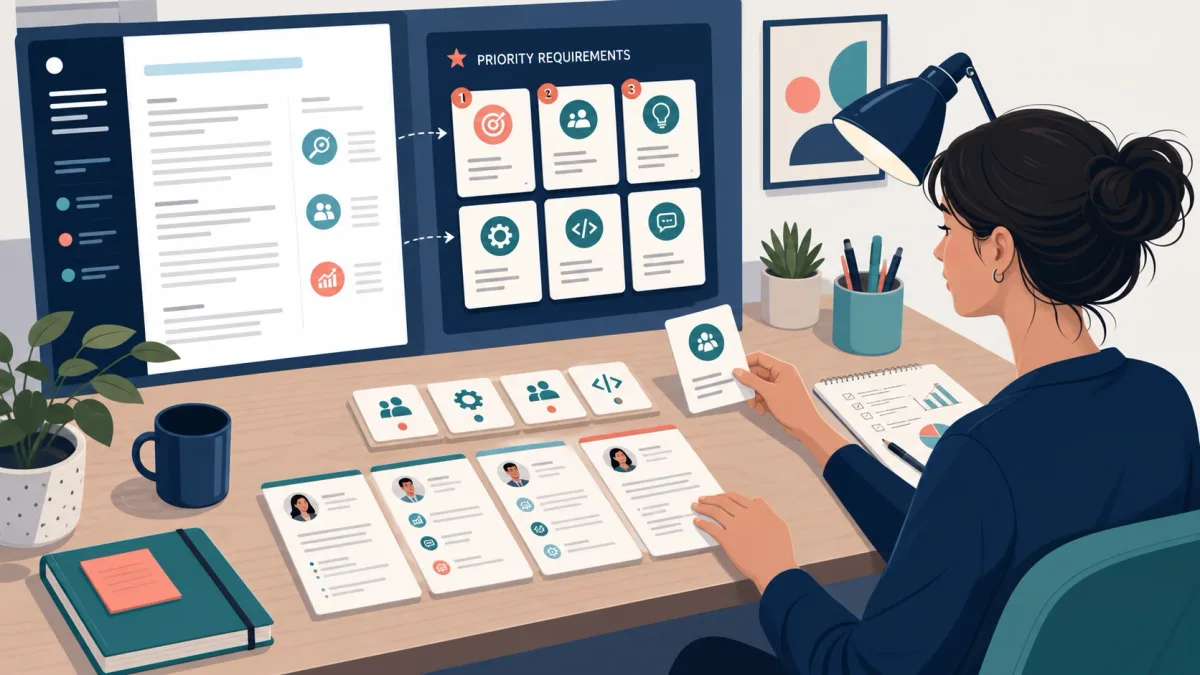
- Requirements pass: Mark must-have qualifications, repeated responsibilities, named tools, and seniority signals.
- Evidence pass: Pair each priority with a true example from your work, projects, education, or training.
- Language pass: Use the employer’s terminology where it accurately describes your experience, then remove repetition.
This process separates proof from wording. It also prevents a common mistake: adding keywords before deciding whether the resume can support them.
Extract the Employer’s Highest-Priority Requirements
In most job postings, not every line is equally important. Look for:
- Responsibilities that repeat
- Required tools/skills that appear in multiple sections
- Outcomes and stakeholders (customers, cross-functional partners)
- Seniority signals (“own,” “lead,” “define,” “drive,” “manage”)
Pick 5–8 priority requirements. That’s your tailoring target.
Match Evidence Before Adding Keywords
A clean rule: don’t add a keyword you can’t support.
Support can be:
- a job bullet
- a project
- coursework with deliverables
- training/certification
- a tool you actually used
Mainstream resume guidance supports both tailoring and honesty. Use the employer’s language only where it matches your background (see Harvard’s Create a Strong Resume guidance and Indeed’s resume-tailoring guidance).
Tailor Without Keyword Stuffing
Keyword stuffing usually backfires because it hurts clarity (and can look fake).
Do this instead:
- Put exact role terms in headings and summary where natural
- Use them in relevant bullets (not every bullet)
- Prefer a few high-signal terms over a long list
Here’s a tiny mapping example (fictional role):
| Job requirement (posting language) | Your truthful evidence | Where it goes |
|---|---|---|
| “Build dashboards in Excel” | Created weekly KPI tracker; used PivotTables + Power Query | 1–2 bullets under most relevant role |
| “Stakeholder communication” | Presented findings to Sales + Ops; wrote weekly update | Summary + 1 bullet |
| “Process improvement” | Reduced manual reporting steps; documented new workflow | Bullet + (optional) Skills proof |
Tip: Keep a “master resume,” then make targeted versions by changing (1) summary, (2) skills priority, and (3) top bullets per role. That’s usually enough to change how relevant you look.
Turn Responsibilities Into Evidence of Impact
Your experience section is usually your strongest proof. The goal is to make each bullet evaluable. This section focuses on quality, not a fixed number of bullet points per job.
University career services recommend accomplishment-focused bullets. Start with an action verb, add context, and show the result or useful output. See Harvard’s resume bullets guidance and UC Davis’s accomplishment statement formula.
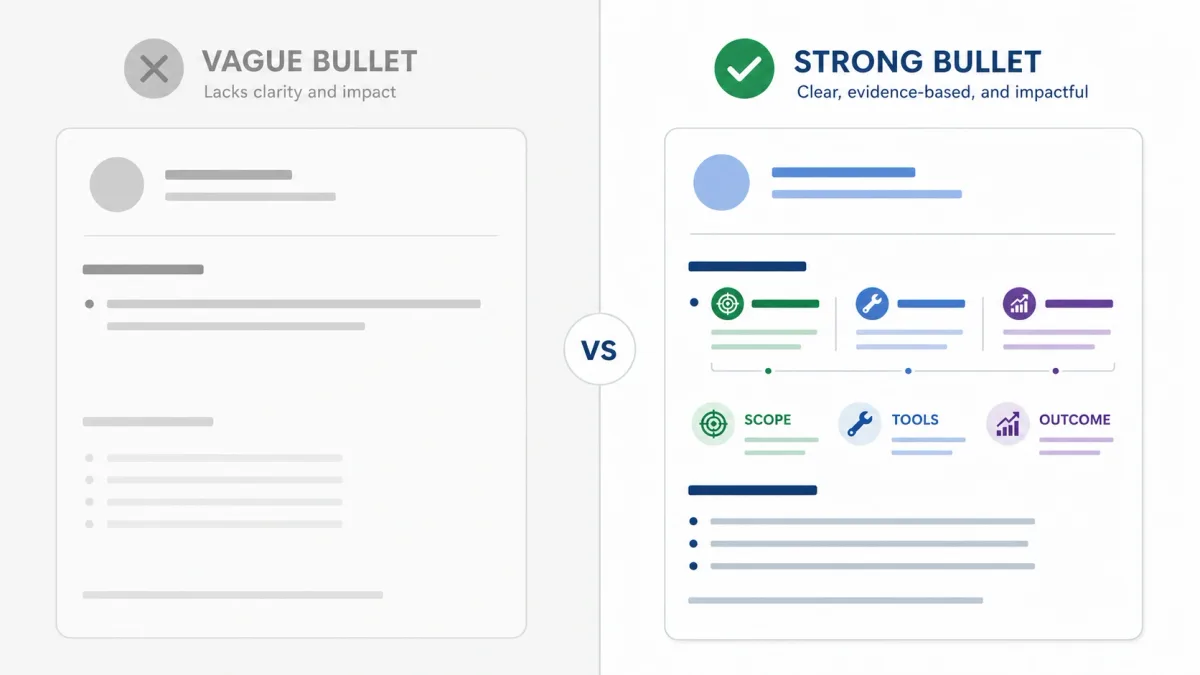
Use Action + Context + Outcome
Use this flexible formula:
Action + context + outcome

- Action: what you did (not “responsible for”)
- Context: for whom, with what tools, at what scale
- Outcome: the useful result (not always revenue)
Outcomes can be:
- faster turnaround
- fewer errors
- better customer experience
- clearer decision-making
- safer operations
- higher capacity
- a completed deliverable
Rewrite one bullet in five passes:
- Name the action you owned.
- Add the task, audience, or business need.
- Add a tool, scale, frequency, or constraint when useful.
- State the outcome or deliverable you can defend.
- Delete filler such as “responsible for” and repeated context.
A stronger action verb alone will not rescue vague content. The reader still needs to know what changed, what you produced, or why the work mattered.
Quantify Honestly—and Use Other Evidence When Numbers Do Not Fit
If you don’t have a clean percentage, don’t invent one.
Use other evidence:
- scale: “supported 30–50 customers/day”
- frequency: “weekly / daily / per sprint”
- scope: “3-state territory,” “12-page report,” “6-month project”
- complexity: “across 4 stakeholders,” “new process,” “high-volume queue”
- deliverables: dashboards, SOPs, training docs, analyses
Show Skills Through Evidence
A skills list without proof is just a claim. Choose the most relevant skills for the target role, then connect them to work, projects, education, or certifications.
- Weak: “Excel, SQL, Tableau”
- Stronger: a bullet that shows what you built/analyzed with those tools.
Before / After examples (two quick ones)
Example 1 — work bullet (duty-only → evidence-led)
- Before: “Responsible for monthly reporting.”
- After: “Built a monthly performance report in Excel for 6 stakeholders; standardized definitions and reduced manual updates by consolidating inputs into one sheet.”
- Why it works: it shows ownership, context, and a concrete deliverable.
Example 2 — project/volunteer bullet
- Before: “Helped with social media.”
- After: “Planned and scheduled 3 posts/week for a student org; created a simple content calendar and wrote copy that increased event sign-ups compared to the prior semester.”
- Why it works: it turns “helped” into visible work and a result (without fake precision).
Lead With a Clear, Credible Value Proposition
The top of your resume should answer: “What are you aiming for, and why are you a plausible fit?”
Use a Targeted Summary Formula
A summary is optional. Use one when it adds clarity.
A simple structure:
Target role/function + relevant domain/experience + 1–2 evidence-backed strengths + value to the employer
Generic (doesn’t stand out):
“Results-driven professional with strong communication skills seeking a challenging role.”
Targeted (clear + credible):
“Customer Support Specialist with 3+ years supporting SaaS users across email and chat. Known for troubleshooting account issues quickly and writing help docs that reduce repeat tickets. Looking to bring that customer-first problem solving to a Support Operations role.”
This aligns with guidance to be specific, fact-based, and organized for readability (see Harvard’s Create a Strong Resume and MIT CAPD’s resume guidance).
Use a summary when it resolves a real question. It can help with a career change, a mixed background, or a specialized target. Skip it when your headline and recent experience already make your fit clear. If an objective suits your situation better, keep it specific to the role and avoid filling the space with generic goals.
Keep, Rewrite, Move, or Remove
Use this rule set when your resume feels crowded:
- Keep if it’s directly relevant and credible.
- Rewrite if it’s relevant but vague.
- Move if it’s useful but not a top priority for this target role.
- Remove if it’s outdated, duplicated, misleading, or unrelated.
Order the remaining content by value to this employer, not by how proud you are of it. Within each job, put the most relevant, evidence-rich bullet first. Is the document still crowded? Make length decisions by relevance, role expectations, and whether each line earns its space.

A quick decision tree:
| If this content is… | And it is… | Then… |
|---|---|---|
| Highly relevant | Evidence-backed | Keep high on page |
| Relevant | Vague | Rewrite into evidence |
| Somewhat relevant | Useful later | Move lower |
| Not relevant | Or distracts | Remove |
Make the Resume Easy for ATS and People to Read
You don’t have to choose between ATS compatibility and human readability. Many of the same choices help both. There is no universal ATS rule set. Follow the employer’s instructions and use clear, accurate, selectable information. Do not try to “beat” the system.
Formatting choices can affect how software reads a resume. Government-supported guidance recommends a simple structure. See the U.S. Department of Labor’s Resume Essentials Participant Guide (2026) and CareerOneStop’s design for easy reading.
ATS vs. Human Reviewer
| Review Need | ATS / Application System | Human Reviewer | Helps Both |
|---|---|---|---|
| Structure | Parseable text, standard headings, logical order | Easy navigation and predictable sections | Clear section labels and consistent order |
| Terminology | Relevant job terms that accurately match the candidate | Familiar language that communicates fit | Natural, role-specific wording |
| Evidence | Searchable skills, titles, education, and experience | Specific outcomes and credible context | Concrete, truthful details |
| Design | Minimal parsing obstacles | Readable type, spacing, and hierarchy | Restrained, consistent formatting |
| Accuracy | Correct dates and information | Trustworthy story without contradictions | Consistency and careful proofreading |
Visual Hierarchy Without Visual Noise
If you want your resume to “stand out visually,” start with hierarchy, not decoration:
- Use spacing to separate sections
- Use bold for what matters (job title or company)
- Use alignment consistently
- Keep fonts readable and avoid tiny text
CareerOneStop emphasizes white space, consistent fonts, and readable structure for easy scanning (Design for easy reading).
Creative roles can have different portfolio expectations, but the resume still has to be readable and parseable. For most applicants, a clear reverse-chronological structure is a practical starting point because recent experience and dates are easy to follow.

Test the Exported and Uploaded File
This step is skipped too often — and it’s where “perfect in Word” resumes can break.
Do these checks:
- Confirm the posting’s requested file type before exporting.
- Open the final file on another device.
- Try selecting and copying text (is it clean, or jumbled?).
- Verify links work.
- Check page breaks (no orphaned headings).
- Use a professional filename (e.g.,
FirstLast_JobTitle_Resume.pdf). - Upload to the application system and review how fields were parsed.
⚠️ Warning: Avoid putting essential info only in graphics, complex sidebars, or in headers/footers. Some systems may not read those elements reliably.
Make Limited or Nonlinear Experience Work Harder
If you have limited experience or a nonlinear path, your goal is the same: relevance + evidence + clarity. Do not copy a standard section order by default. Move the strongest proof closer to the top. Keep dates and titles accurate. Use a short bridge statement only when it helps explain your fit.
Evidence can come from:
- projects
- internships
- coursework with deliverables
- volunteering
- leadership
- service work with outcomes
- certifications
- independent work
Students, Recent Graduates, and Entry-Level Candidates
Emphasize:
- projects with outputs (dashboards, code, presentations, research summaries)
- internships and part-time outcomes
- tools you used and what you produced
- education details that matter for the role, especially recent or required credentials
Avoid:
- apologizing for lack of experience
- listing classes without outcomes
- empty soft-skill lists
Experienced Professionals
Emphasize:
- scope, leadership, complexity, and outcomes
- recent relevance
Avoid:
- equal space for every job
- long lists of routine duties
Career Changers and Candidates Returning After a Gap
Emphasize:
- bridge skills and transferable outcomes
- recent training and projects
- clear target role
Avoid:
- renaming old roles inaccurately
- hiding chronology with confusing formatting

Evidence pathways by audience
| Audience | Evidence to Prioritize | Common Risk | Best Fix |
|---|---|---|---|
| Student | Coursework deliverables, projects, leadership, service, tools | Listing classes without proof | Show what was built, analyzed, organized, or improved |
| Recent graduate | Internships, capstone work, part-time outcomes, certifications | Generic objective | Use a targeted summary and relevant evidence first |
| Entry level | Reliability, customer/service outcomes, process contribution, technical practice | Assuming routine work has no value | Add context, scale, and useful outcomes |
| Experienced professional | Scope, leadership, change, complexity, measurable results | Too much history and detail | Prioritize recent, relevant achievements |
| Career changer | Transferable outcomes, bridge skills, target-role projects | Forcing old terminology into the new field | Translate evidence using accurate target-role language |
| Returner after a gap | Recent training, current projects, relevant prior outcomes | Overexplaining the gap | Lead with current fit; add brief context only if useful |
Remove What Makes a Resume Stick Out for the Wrong Reasons
Standing out is partly subtraction. Remove what reduces trust.
Common “wrong reasons”:
- crowded graphics, tiny text, heavy columns
- generic buzzwords with no proof
- skill self-ratings (e.g., “Excel: 10/10”)
- irrelevant personal details
- hidden keywords or keyword stuffing
- inconsistent dates/titles
- exaggerated metrics you can’t explain
A quick “mistake → fix” table:
| Mistake | Why it hurts | Better fix |
|---|---|---|
| “Results-driven self-starter” summary | Vague, doesn’t prove fit | Name target role + add 1–2 evidence-backed strengths |
| 25-skill list | Looks like keyword stuffing | Keep priority skills and prove them in bullets/projects |
| Two-column graphic template | Can hurt parsing and skimming | Simple, consistent layout with clear headings |
| Inflated percentages | Risky; hurts trust | Use honest scale/scope/deliverables instead |
| “References available upon request” | Usually assumed; uses space | Omit unless the employer asks for references |
Use AI as an Editor, Not a Source of Facts
AI can help you edit faster, but it can’t verify your history.

Harvard Career Services warns that generative AI can produce false or made-up details. Start from your own draft. Then review it line by line so it still sounds like you (AI for Resumes and Cover Letters).
A practical authenticity check:
- Verify every number, tool, date, and title.
- Add role-specific context (who, what, and why).
- Remove clichés and generic phrases.
- Preserve wording that sounds natural in your voice.
- Make sure you can explain every bullet out loud.
Fictional AI-editing example:
- Generic draft: “Leveraged cross-functional communication to optimize operational efficiency and drive exceptional outcomes.”
- Grounded version: “Created a weekly handoff checklist for Sales and Support, clarified ownership for open customer issues, and reduced missed follow-ups.”
The second version works because it names the action, the people involved, and the practical result. Use AI to ask better questions, not to manufacture a more impressive history.
See the Improvements in Practice
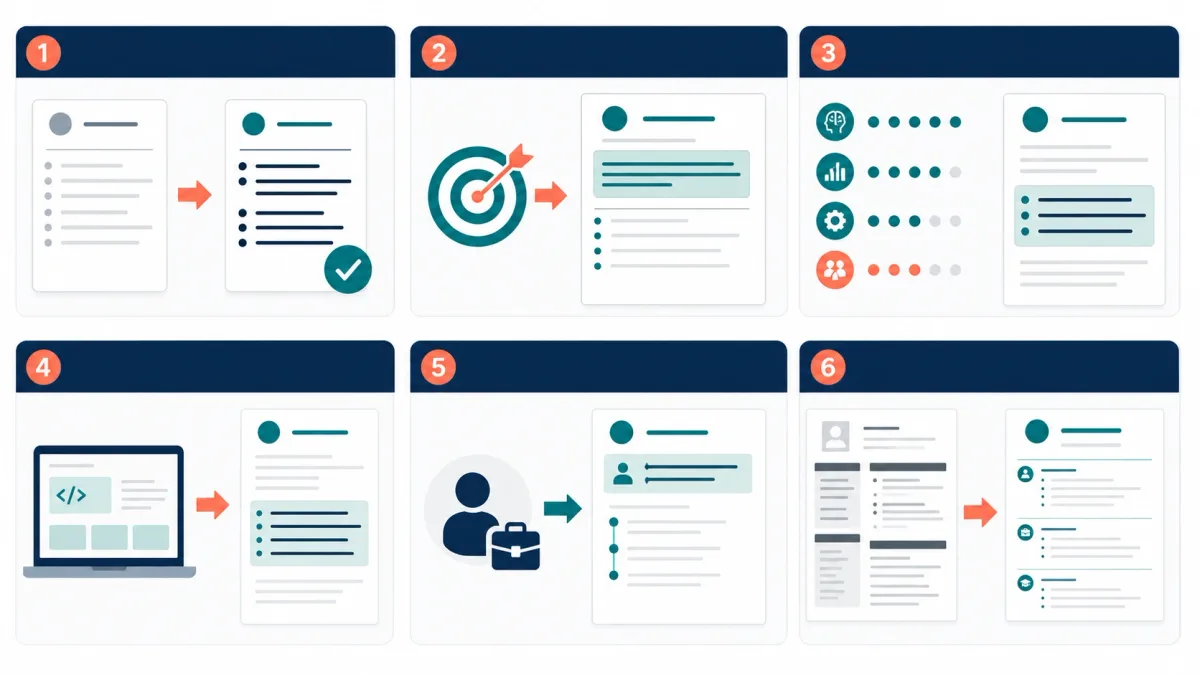
Below are six fictional/composite examples showing the same upgrades you’ll make in your own resume.
| Scenario | Before Problem | Recommended Change | Why It Works | Principle Demonstrated |
|---|---|---|---|---|
| Work-experience bullet | Lists a duty with no context or outcome | Add ownership, operating context, and a truthful useful result | Makes the work evaluable | Evidence |
| Professional summary | Uses generic traits and no target role | State role direction, relevant domain, and supportable differentiator | Clarifies fit | Relevance + clarity |
| Skills presentation | Long unsupported skills list | Retain priority skills and prove them in bullets/projects | Increases credibility | Evidence |
| Entry-level experience | Treats lack of paid experience as lack of evidence | Use projects, service, coursework, and leadership with outcomes | Broadens evidence honestly | Relevance + evidence |
| Career change | Old industry dominates the opening | Lead with target role and transferable outcomes while keeping history accurate | Creates a clear bridge | Clarity |
| Formatting hierarchy | Uses crowded graphics, small text, and inconsistent dates | Apply standard headings, readable type, spacing, and consistent dates | Helps ATS and human review | Clarity |
Example 1: Work-experience bullet
- Before: “Handled customer inquiries.”
- After: “Resolved 30–40 customer inquiries/day across email and chat; documented recurring issues and suggested updates that reduced repeat questions.”
- Why it works: shows scale + contribution; gives the reviewer something to measure.
- Apply it elsewhere: any role with volume, turnaround, or quality constraints.
Example 2: Professional summary
- Before: “Hardworking professional seeking opportunities to grow.”
- After: “Entry-level Data Analyst candidate with coursework and projects in Excel and SQL. Built a sales dashboard project using PivotTables and basic queries; comfortable translating messy data into clear takeaways. Seeking analyst roles focused on reporting and insights.”
- Why it works: target role + evidence + direction.
- Apply it elsewhere: substitute your tools/projects and the role you’re pursuing.
Example 3: Skills presentation
- Before: “Skills: Excel, SQL, Python, Tableau, Power BI, Git, Jira, Agile, Communication, Leadership…”
- After: “Skills (priority): Excel (dashboards, PivotTables), SQL (joins, aggregation), Tableau (basic dashboards). Evidence: see ‘Projects’ and ‘Experience’ bullets for specific outputs.”
- Why it works: less noise; more credibility.
- Apply it elsewhere: keep the list short, then prove the rest.
Example 4: Entry-level evidence
- Before: “No professional experience.”
- After: “Relevant projects: Built a capstone analysis report (12 pages) using survey data; presented findings to a 5-person panel; delivered a one-page summary with recommendations.”
- Why it works: it reframes “experience” as evidence, not payroll.
- Apply it elsewhere: internships, volunteering, coursework deliverables.
Example 5: Career-change bridge
- Before: “Retail Associate (2019–2025)” opening dominates.
- After: “Customer Operations candidate with 6 years of frontline experience resolving customer issues, tracking recurring problems, and training new staff. Recently completed a customer support tooling course and built a simple ticket-triage workflow project.”
- Why it works: it translates outcomes into the new role’s language without lying.
- Apply it elsewhere: build a bridge statement + add one current project.

Example 6: Formatting hierarchy
- Before: Two columns, icons, small text, inconsistent date formats.
- After: Single clear column, standard headings, consistent
MM/YYYYdates, readable font and spacing. - Why it works: improves both skimming and parsing.
- Apply it elsewhere: if you’re unsure, choose the safer format.
Run the Final Resume Standout Stress Test
Use this as your quality gate before you submit. Think of it as a resume checklist that forces your resume to earn trust. Run it once on the content and once more on the exported file.
- Relevance test: Can every major section support the target role? If not: remove, shorten, or move content that competes with stronger proof.
- Job-description alignment test: Are the employer’s highest-priority needs represented truthfully? If not: add existing evidence or accept that the role may not be the best match.
- Evidence test: Does each major claim have an example, outcome, scope indicator, or concrete context? If not: support the claim or delete it.
- Skimmability test: Can a reader find the role, relevant experience, skills, and achievements without hunting? If not: improve headings, order, spacing, and bullet priority.
- ATS parsing test: Is core information in selectable text with standard headings and a logical order? If not: simplify the layout and retest the upload.
- Consistency test: Are dates, titles, locations, punctuation, tense, and formatting consistent? If not: choose one style and apply it throughout.
- Proofreading test: Has the document been reviewed separately for meaning, grammar, and final-file errors? If not: complete three passes: facts, language, then layout.
- File and upload test: Does the exported file open correctly, preserve links and page breaks, use a professional filename, and parse accurately after upload? If not: correct the source file, export again, and recheck.

Give yourself one point for each “yes.” An 8 means the resume is ready for final application-specific review. A 6 or 7 calls for targeted fixes. Five or fewer means you should return to the Priority Matrix before polishing. This score organizes your editing work; it does not predict hiring results.
A micro “fail → fix” example:
- Failed: Skills list includes “SQL,” but nothing in Experience/Projects shows SQL use.
- Fix: Add one bullet or project line that demonstrates what you built with SQL (or remove SQL).
Conclusion: Make Your Fit Easy to See—and Easy to Trust
A resume stands out when it does one thing well: it makes your fit obvious without forcing the reader to guess. Start by anchoring your resume to the job. Next, upgrade your bullets into evidence. Then make the page easy to skim and parse. Polish last, and return to the section that failed the stress test whenever your resume needs a deeper rebuild.
When you’re ready for the next step after tightening your resume, practice turning that same evidence into clear interview answers. GreatOffer.ai is a real-time interview coach that can help you structure responses under pressure.
Next steps:
- Download the app (free, no credit card required): GreatOffer.ai Download
- See trial and subscription details: GreatOffer.ai Pricing